
Practice Project: Checkpoint 3
Refactoring an old script that generates invoices to our Finance department.
Part of the “Mastering dbt” series. Access to the full Study Guide. Let’s connect on LinkedIn!
In the previous Checkpoint, we made our project more interesting by adding additional models and configurations. Now, we’re going to practice making legacy SQL code modular, following the Refactoring principles.
In the documentation, there is a very basic example of a model that barely disturbs the overall structure of the DAG. Our example is more realistic, though.
I created a confusing and repetitive legacy script with bits of incorrect logic and unnecessary functions. This script was used to create invoices that apply discounts and VAT on top of the gross value.
Table of contents:
1. Migrating the legacy code
2. Implementing dbt sources
3. Implementing cosmetic cleanup and CTE groupings
4. Applying standardised layering
5. Auditing
6. Extra step: add configs to the new models
1. Migrating the legacy code
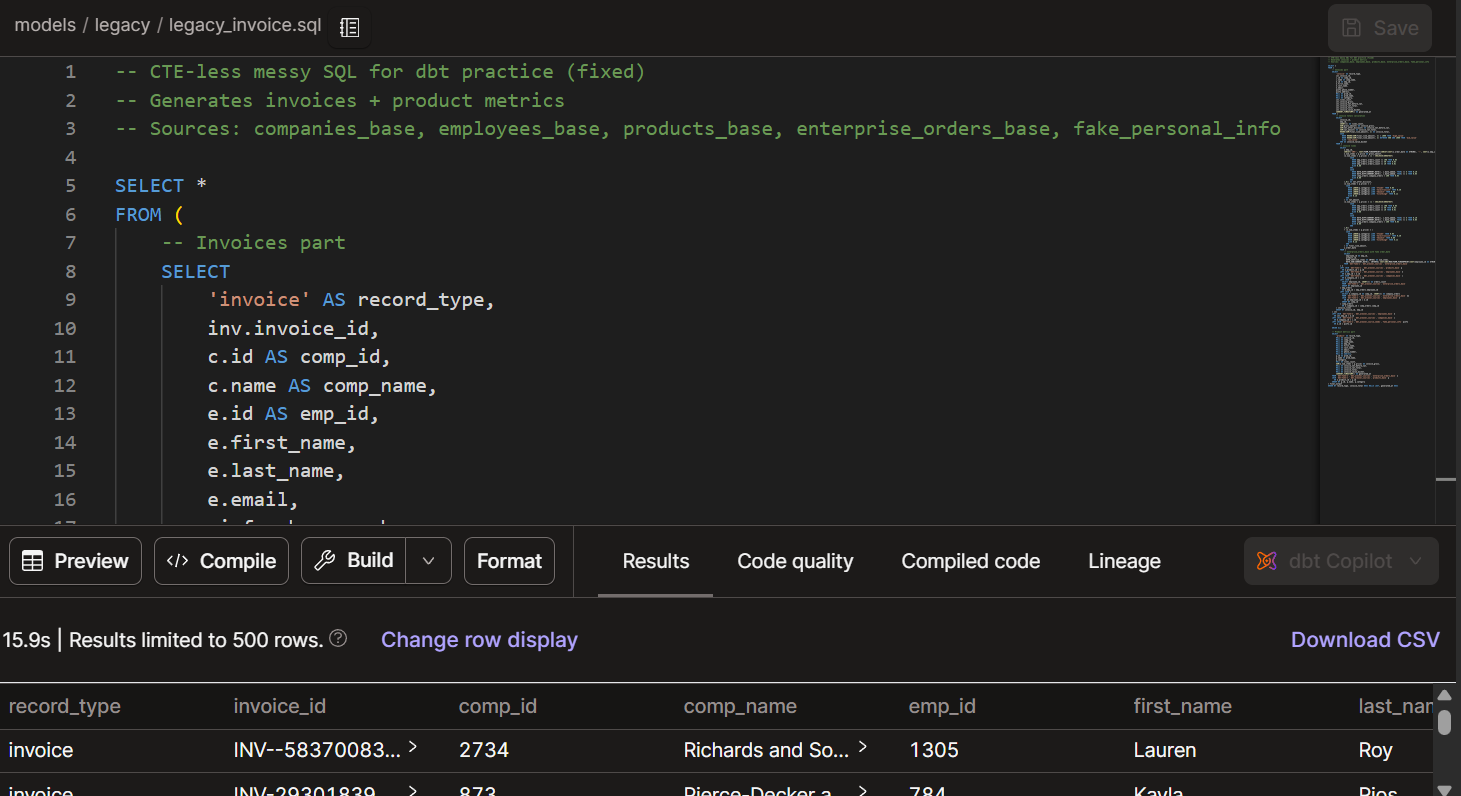
Create a file in the project for the legacy code and work off a copy.
2. Implementing dbt sources
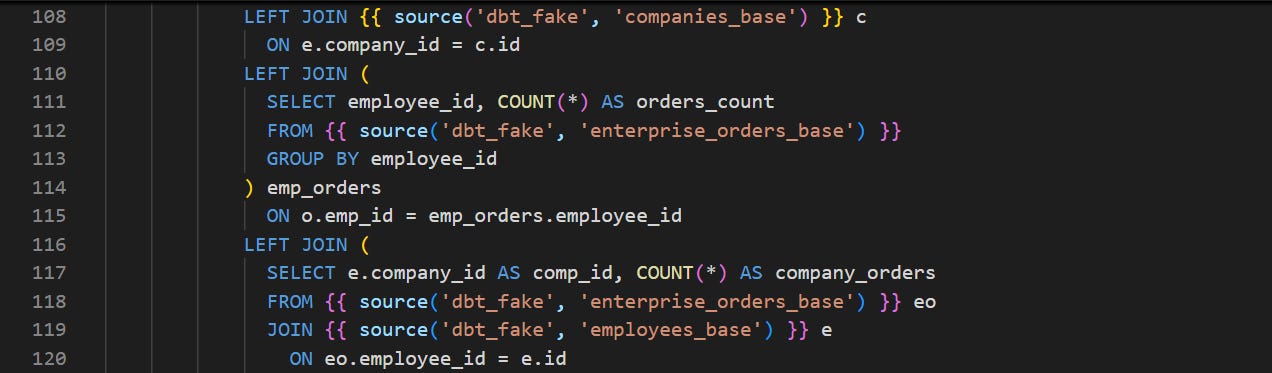
Replace direct references with the sources function.
We already have our sources defined in a sources.yml file, so we can skip that part and go straight into replacing the direct references.
3. Implementing cosmetic cleanup and CTE groupings
Cosmetic cleanup
First, let’s start with the cosmetic cleanup. This entails adding whitespace, breaking up long lines of code, lowercasing SQL and any other actions necessary to make the code easier to understand at the top level.
This is a tedious step, but it helps a lot to decode a messy script. I used the Format function in the IDE that automatically applies some formatting and made my own changes according to what helps me understand the code.
CTE groupings
Next, we are going to apply the CTE groupings: Import CTEs, Logic CTEs, and Final CTEs. At this stage, we are not fixing logic because we want the final output to look just like the legacy one, so we can audit our changes.
Import CTEs
For the Import CTEs, I had to select from staging and intermediate models, which could potentially break DAG principles once I have layered everything. But at this stage, I just want the output to work and match the legacy table. Finally, you will need to replace column names throughout.
Logic CTEs
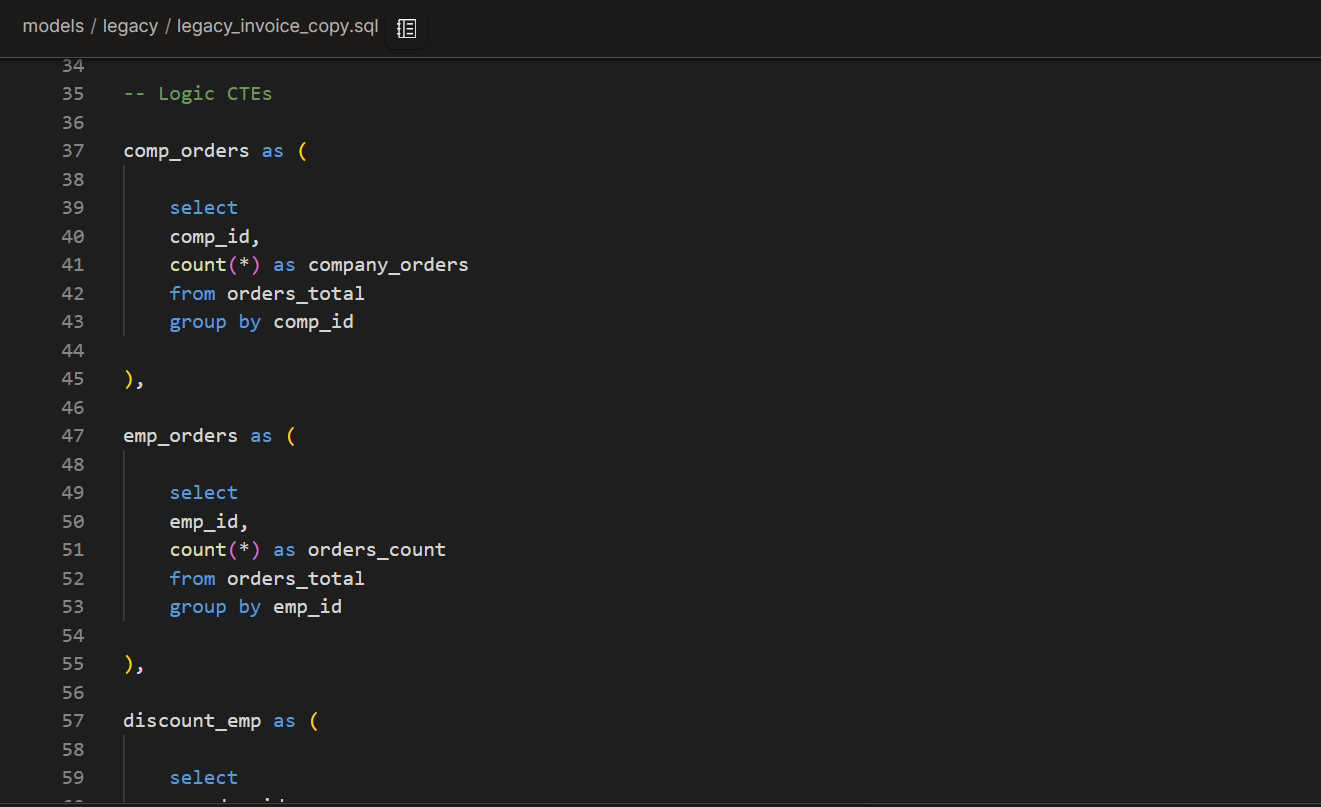
Now, we isolate the nested select statements in their individual CTEs, starting from the innermost one. In this process, we can also simplify the code and remove unnecessary parts.
This was the most labourious part, especially because I noticed a logic mistake in one of my existing models.
Final CTE
The Final CTE puts it all together, emulating the legacy table.
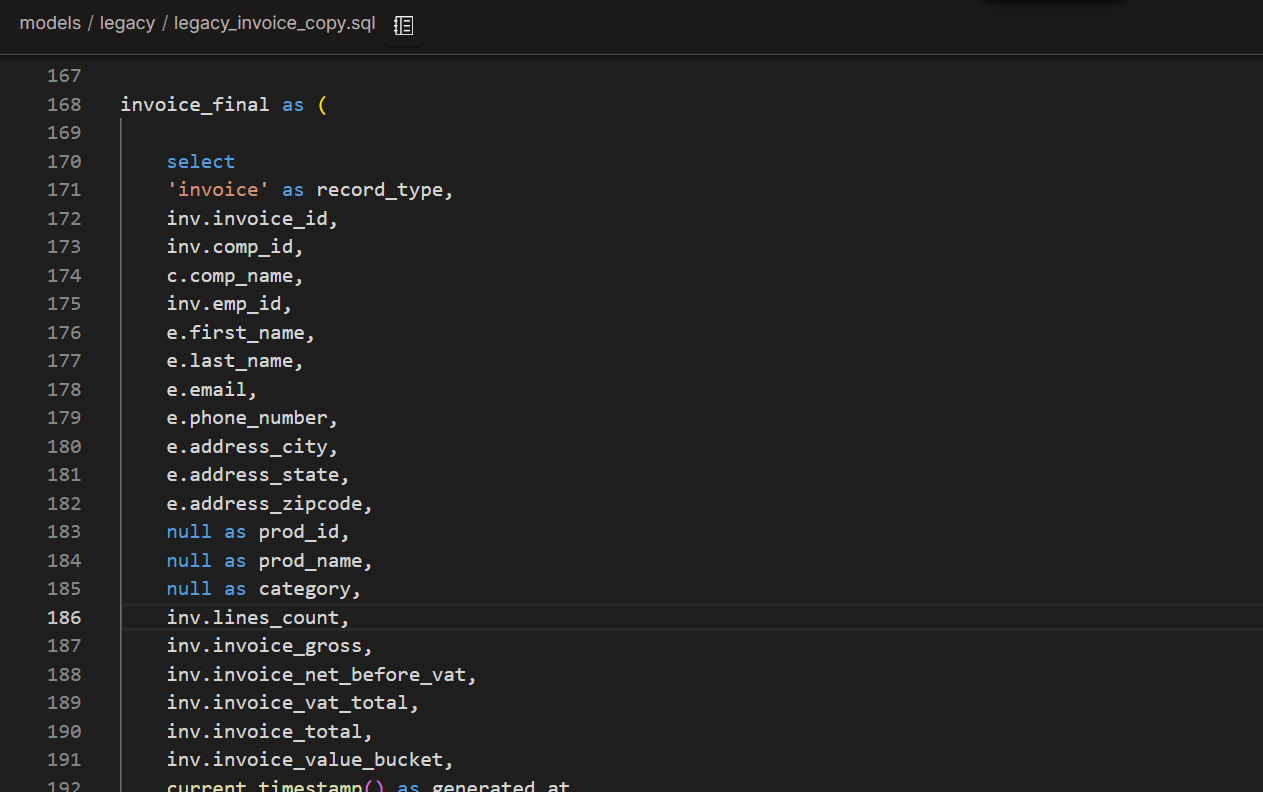
4. Applying standardised layering
At this stage, you should have one long script and possibly some transformations that were already available elsewhere in the project. This would be ready for auditing, although not very DRY or respecting dbt’s best practices for DAGs.
So, we need to spread this code across our DAG in accordance with modularity principles. I did this in 2 steps:
Addressing reusability:
Move parts of the code to either existing models or update the reference when that transformation already existed elsewhere. Create new models for new aggregations following layering principles. The objective is to leave the marts model free of complex transformations or source references.
Blending the new model(s) into the DAG following the best practices.
For example, ensuring that a marts model isn’t pulling from intermediate and staging models and avoiding bends between intermediate models.
Addressing reusability
Firstly, make sure to work on a copy of the refactored code.
I was able to replace some references with transformations that already existed upstream. However, it was necessary to create two new models for new aggregations: the “int_order_totals” model, which aggregates order totals, and the “int_invoice_totals” which contains discount logic.
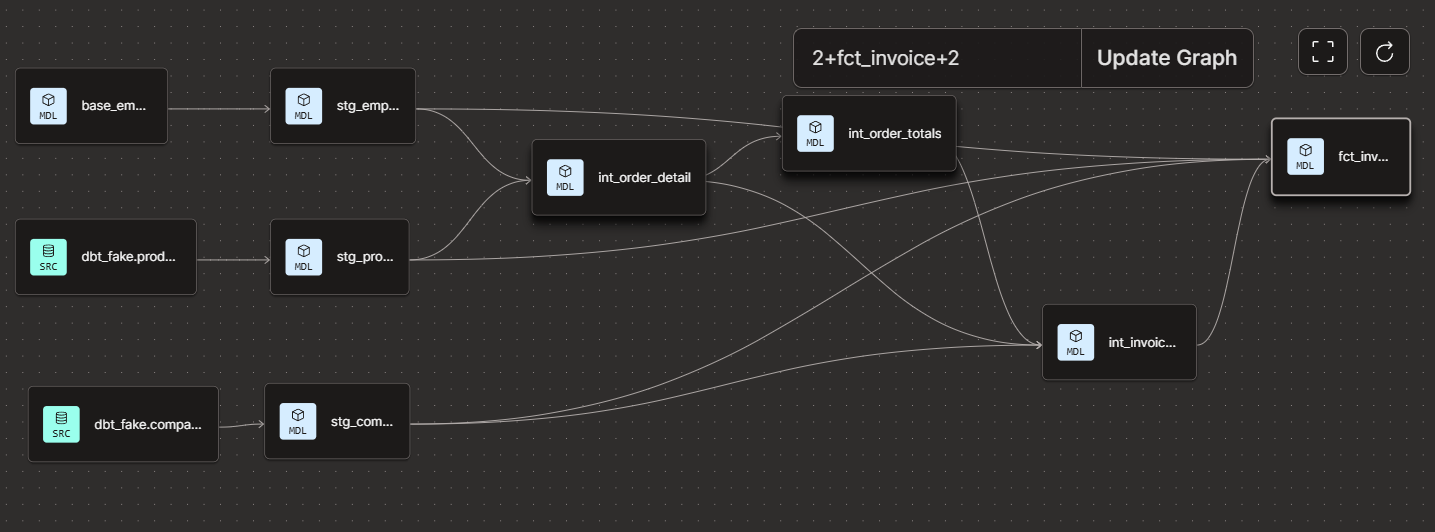
This works, however, we’re breaking a few DAG best practices.
a marts model pulling from staging and intermediate models
“int_invoice_totals” is pulling from two intermediate models.
Blending new models following DAG best practices
I ended up changing the entire structure of the project to make it adhere to best practices.
Essentially, we ended up with two intermediate layers: the first is joining company, employee, and orders to each other in each of their grains, while the second is creating aggregations for orders.
Due to these changes, the “inv_invoice_totals” became obsolete, and the DAG looks much more streamlined.
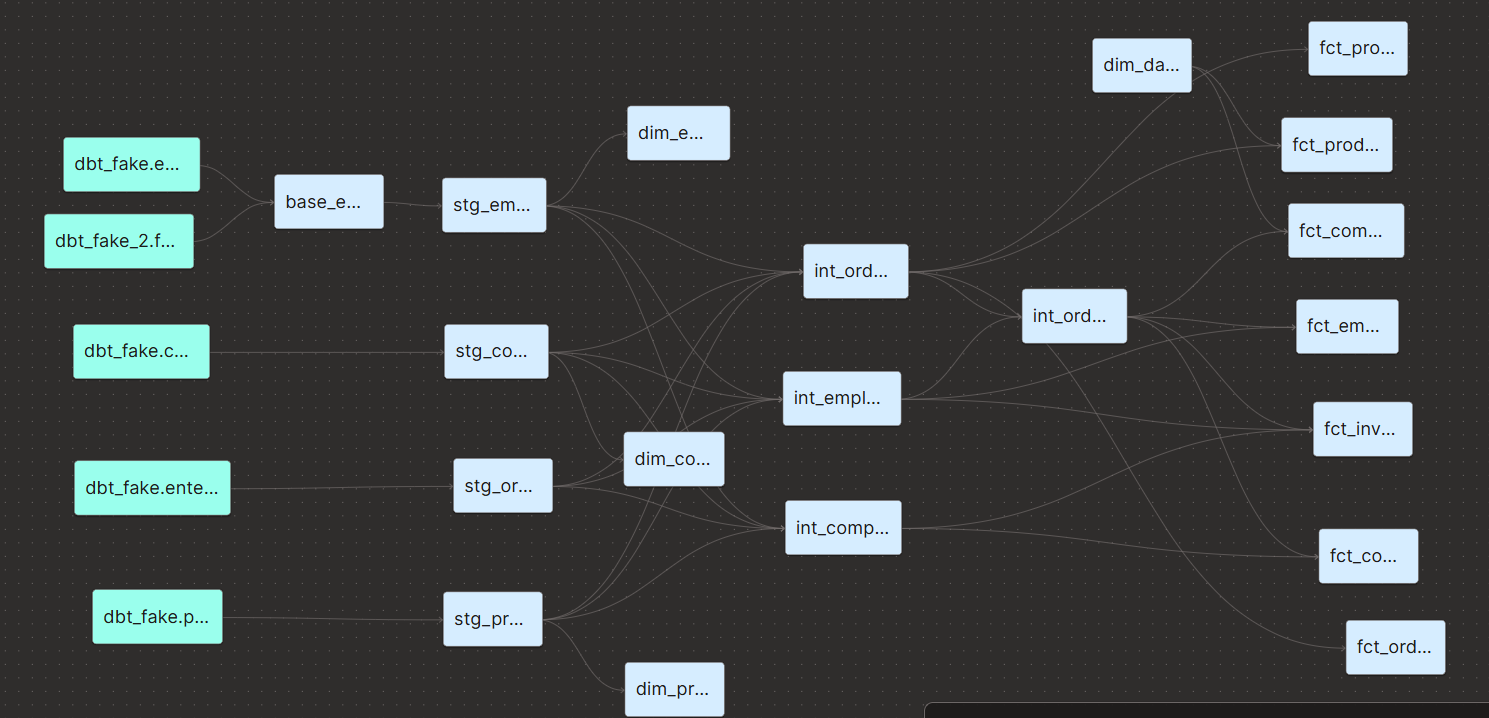
Finally, the final selection became a “marts” model in the “finance” folder.
5. Auditing
You can use the audit helper package to view differences between the legacy and the new model. There are a ton of helpful macros that speed up this process, but I only used “compare_all_columns” and then created my own query to compare the columns that showed differences.
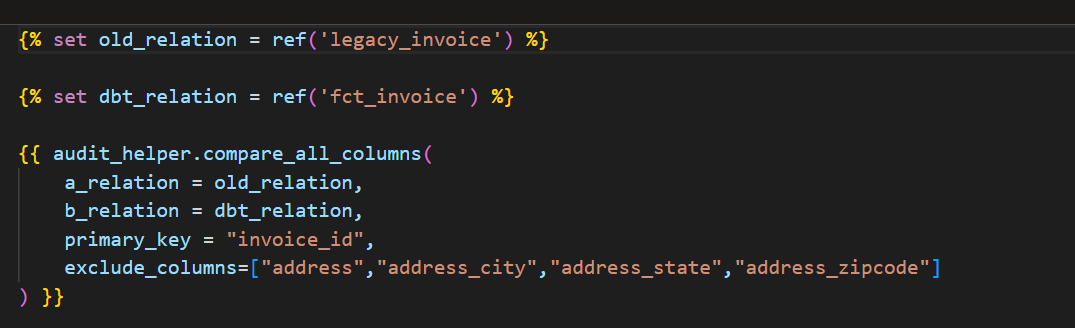
I had two main issues with my code:
The legacy code had all invoice metrics as numeric, while the new code had them as floats. This was causing rounding issues. It took me a long time to figure this one out.
There was an incorrect calculation of VAT in the legacy code, as it assumed each order only contained one product. In that case, I didn’t change the new code, of course, but ensured that that was what was causing the discrepancies.
6. Extra step: add configs to the new models
Thanks to the addition of two new models (fct_invoices and int_order_totals), we now have to make sure they are configured in the properties.yml and dbt_project.yml file.