
Practice Project: Checkpoint 4 - Part 3
Adding model governance features to our project - and failing miserably at Model Versioning.
Part of the “Mastering dbt” series. Access to the full Study Guide. Let’s connect on LinkedIn!
Some configurations look straightforward in the documentation but when you actually try to implement them in a complex project, you run into all sorts of bugs.
This was the case with Model Governance features. I had some trouble setting up the access modifier correctly and, unfortunately, could not implement model versioning (I explained the bugs below).
This goes to show the importance of practising. Running into bugs is very frustrating, but they help us really grasp the workings behind dbt.
Model Governance
For this practice step, we will add some model governance features to our project.
Here, we will add all features for practice, but in a real-life scenario, you would only add these features as needed. In data modelling, we always strive to reduce unnecessary complexity.
Model access
This is the ability to make models public or private to control who can ref them.
First, we need to define a group. We already have some groups defined by department, like the “customer_success” group, which holds the “fct_company” and “fct_company_trend” models.
By default, all groups are protected, so let’s change this group to private and try to ref one of its models from outside the group.
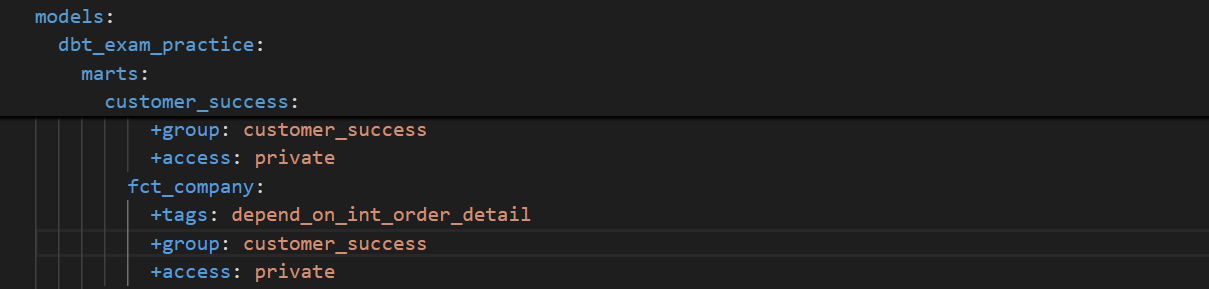
I then created a new model and tried to reference one of the models. Upon compiling, I got the expected error.

Model contracts
They restrict the shape of a model in terms of column names, data types, and constraints.
Following dbt’s recommendation, we will enforce some contracts in our fact tables. For instance, fct_orders could use some contracts, as we started feeding it with live data in the Practice Project 4 - Step 2.
Firstly, let’s add the contract and constraints to the dbt_project.yml file. Please note that I’m using BigQuery and, while it enforces schema contracts, it doesn’t enforce constraints.
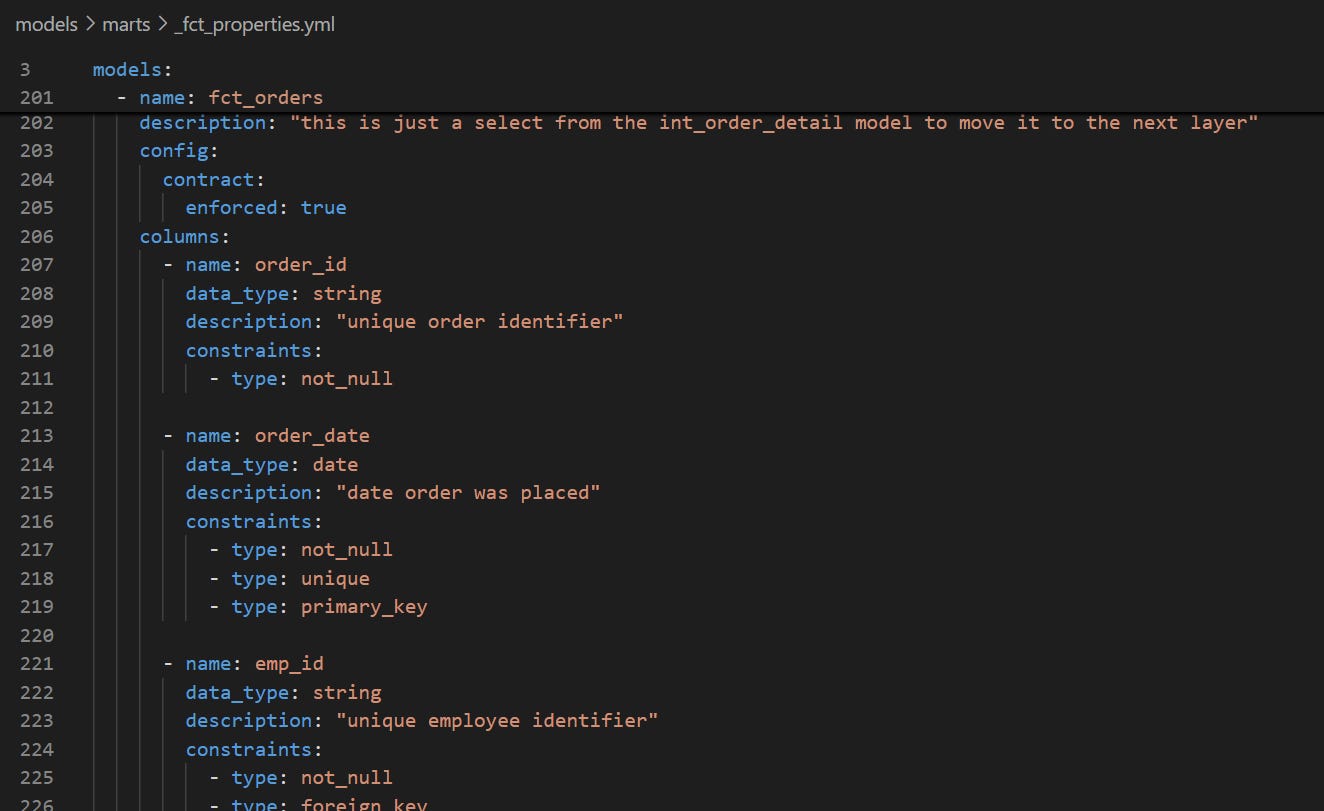
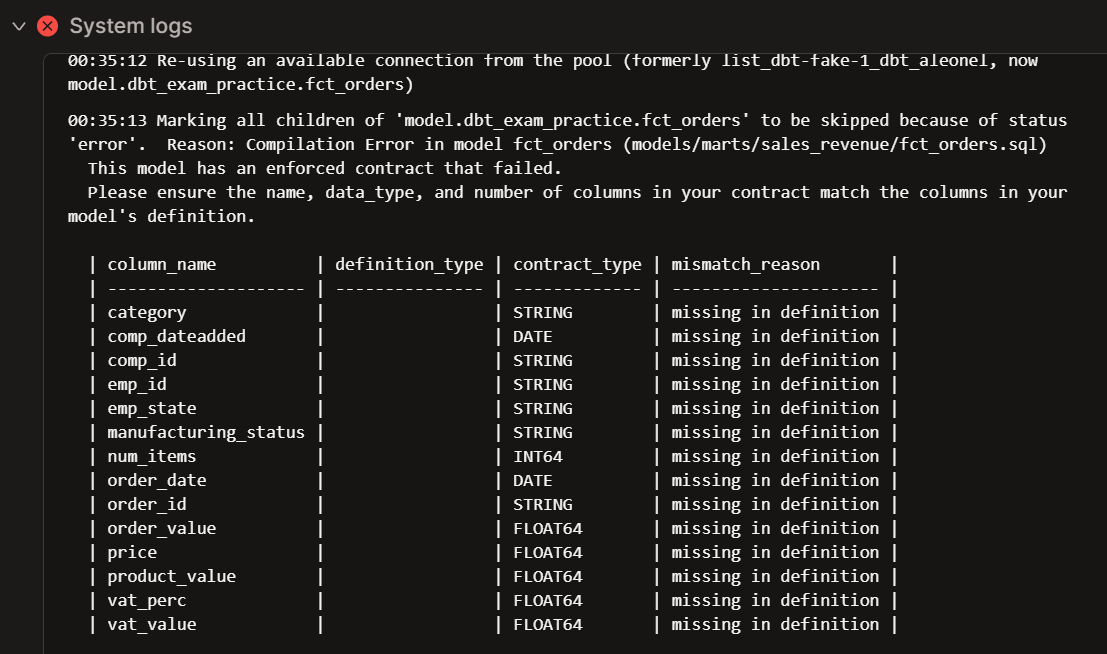
I modified the fct_orders table by selecting only two of its columns to see it fail.

Upon building the model, I get the model contract error:
Model namespaces
Delineate ownership boundaries and responsibilities through naming structures.
We’ve been working with namespaces throughout the Practice Project. For instance, when we added groups and access modifiers to the customer_success subdirectories above, we were using namespaces.
Also, when we use the source function, we are declaring the source namespace. In the example below, it would be “dbt_fake_live”.

Model versions
Versioning for the models, allowing for adjustments to be made without breaking access for the end user.
Now, for this one, I must be honest: I could not get it to work.
I tried versioning fct_orders and set up the configuration as per the documentation. However, dbt refused to read “fct_orders” as the v1 model. I tried using the defined_in optional parameter, renaming fct_orders to fct_orders_v1. Nothing worked.
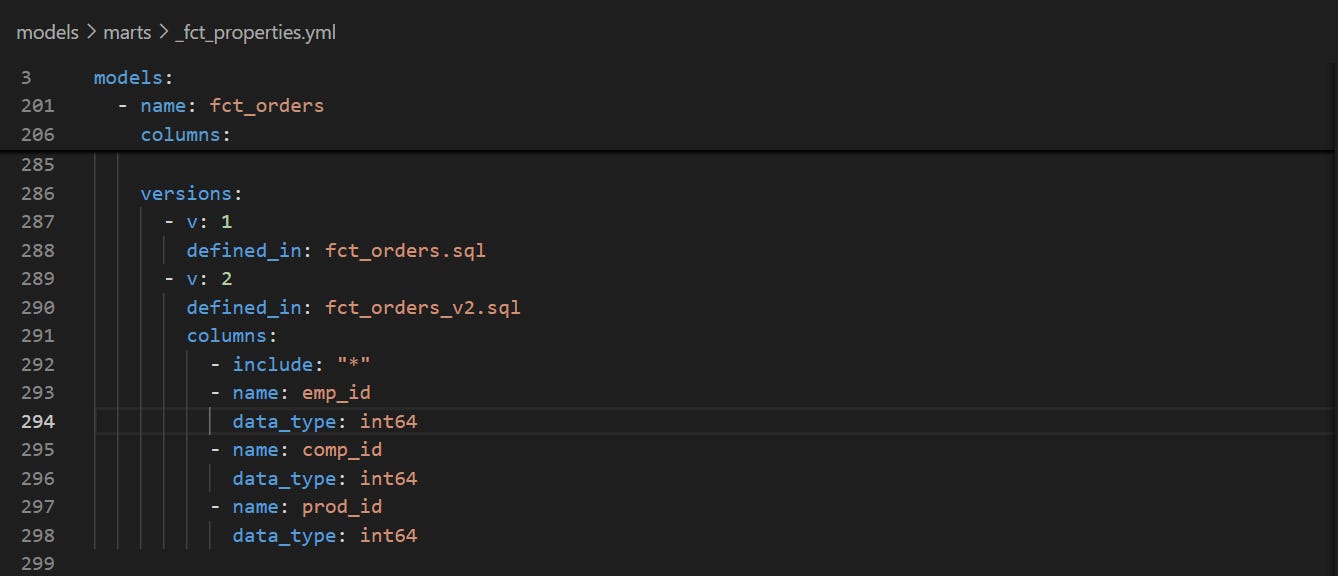
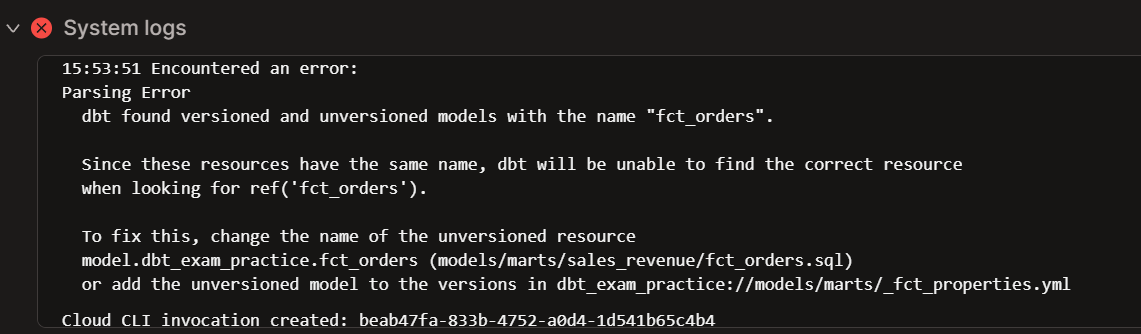
Upon trying to compile the v1 (dbt compile -s fct_orders:v1), dbt seemed to see two “fct_orders” models, one versioned and one unversioned.
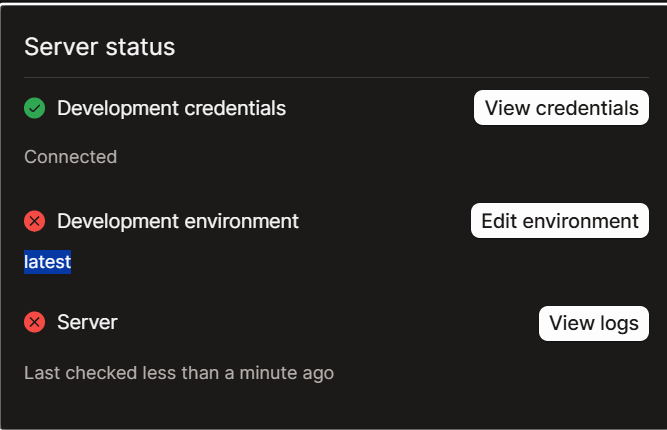
Also, interestingly, as soon as I created the fct_orders_v2 file, I got a server status error. But when I edited the file name to fct_orders__v2 (with double underscore), the server status went back to Ready. Go figure.
I will revisit this eventually, but I needed to move on with the Practice Project. I wanted to be honest and show you how, even after reviewing documentation thoroughly, some configurations are tricky to set up in a real-life environment.
If anyone’s got any clue as to what could be causing this issue, send me a message or leave a comment!