
Data Test Properties
Setting up tests with Properties and the adjusting naming conventions for logs, artifacts and database objects.
Part of the “Mastering dbt” series. Access to the full Study Guide. Let’s connect on LinkedIn!
Notes from the About data tests property documentation.
We’ve learned what data tests are and how to implement them logically in your DAG. Now, we are going to understand how to declare the properties for data tests.
These properties allow you to correctly set up your tests and apply them to multiple columns.
dbt also offers some options in terms of naming these tests, which can make logs, artifacts, and database table names more logical.
Description
Use the data_tests property to define assertions about a column, table, or view. It can be used to define generic data tests, including the 4 built-in tests.
It can also be optionally used for singular data tests for documentation purposes using the “description” parameter.
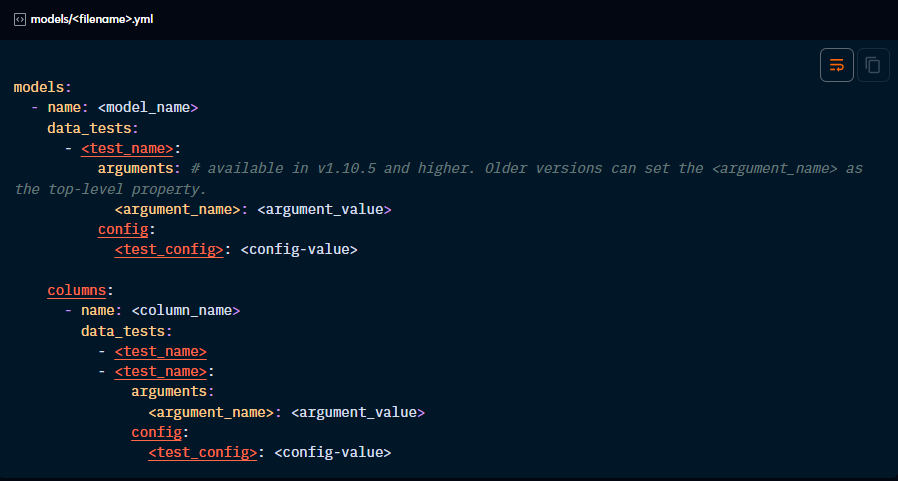
Test-specific properties
Out-of-the-box generic tests require specific arguments for the column it’s being applied to. It’s also possible to test using expressions involving multiple columns.
Built-in generic tests:
These tests have to be applied at column level.
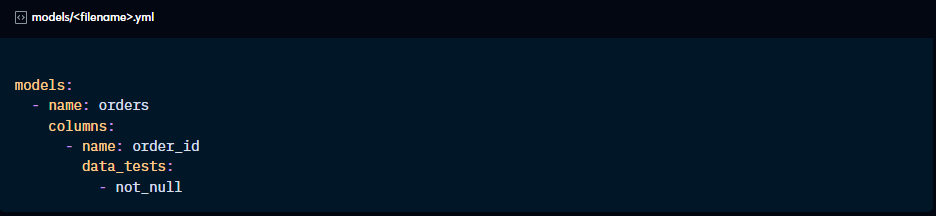
Not_null
This test only requires the data_tests property to declare the test and no further arguments are needed.
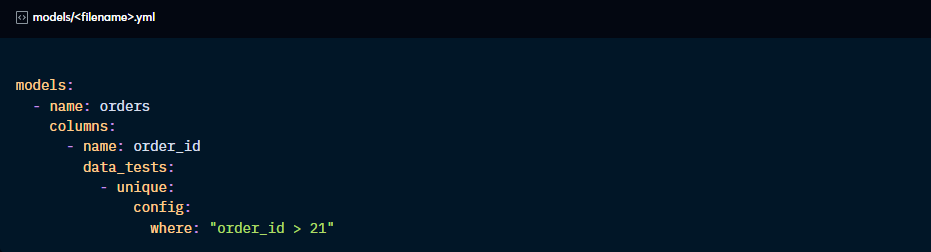
Unique
Similar to not_null, unique only has to be declared. However, it takes an optional “where” config to filter the rows this is applied to.
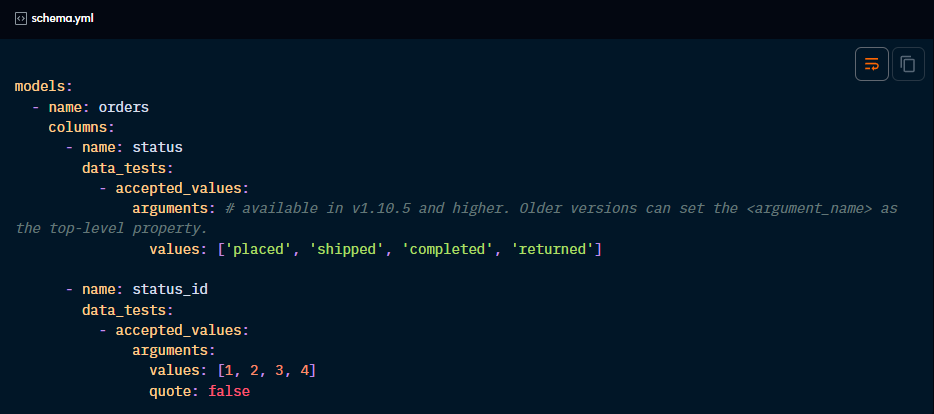
Accepted_values
This test requires no further configuration for strings. However, if you want your accepted values to be non-string values (like integers or booleans), you need an additional “quote” argument to be set to false.
Relationships
This test takes an argument “to” and a “field” that define which child table it should look for corresponding values from the parent table.
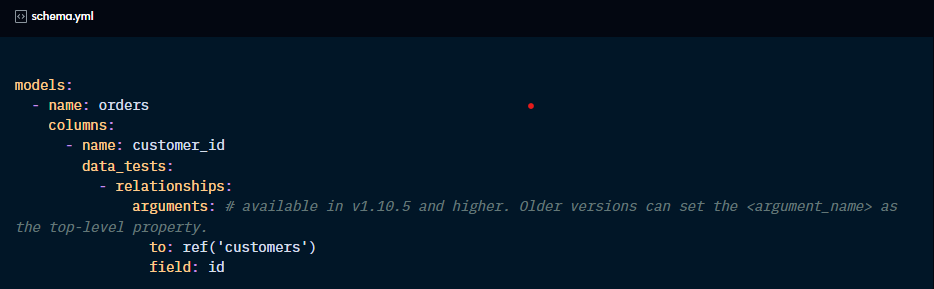
Please note that this test excludes null values from validation. If you want nulls to cause failures, use the not_null test.
Testing an expression:
When a data test involves multiple columns, it doesn’t make sense to place it under the “columns” key. In these cases, you apply the test to the model.
For instance, when using the dbt_utils.expression_is_true:
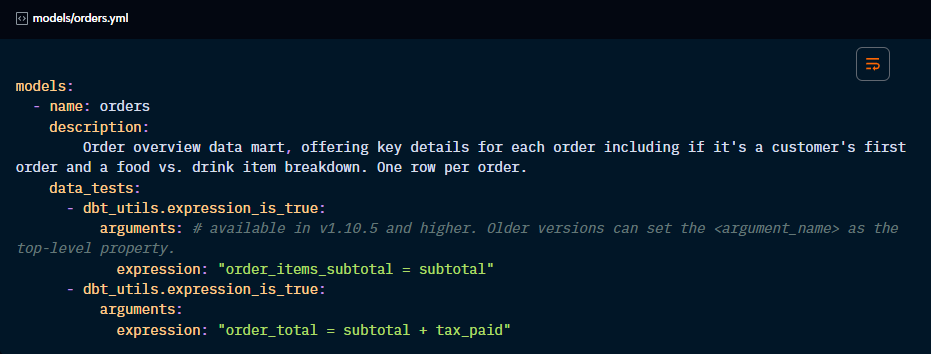
Custom test names: the “name” property
dbt will define the test names in the artifacts by concatenating the test name, the resource name and, if relevant, column name and arguments.
You may want to define a custom name for your tests to obtain a more recognisable name in the artifacts. For that, you can use the “name” property.
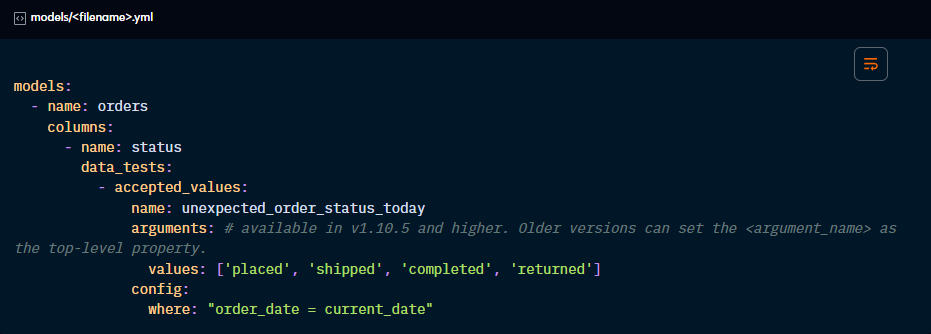
Besides showing in artifacts and logs, this custom name can be used by the “select” method to run only a specific data test.
You cannot have duplicate custom names for the same column. However, you can repeat them across different columns or models. In this case, the “select” method will run all tests under the same custom name.
You can also use custom names when you need to apply the same data test type to one column. By giving them custom names, dbt will know how to differentiate them.
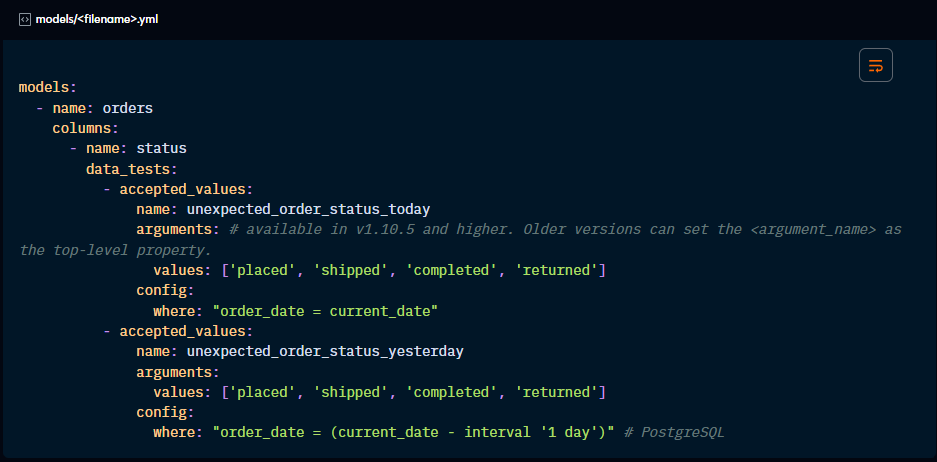
Alias for “store_failures” database table
When switching “store_failures” on, dbt will store test results in a database object. By default, it takes the name of the test, or the custom name if defined, as the name of the database table.
If you’d like the database table to have a different name, you can set an alias for the test.
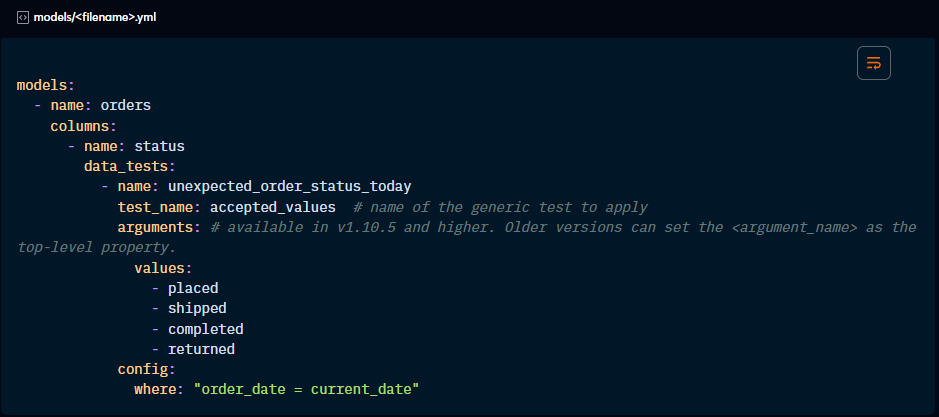
Using “test_name” to flatten config
dbt offers the option to define test properties using the “test_name” property to make your file easier to read. The result is the same.
Really solid breakdown of dbt test properties. The section on custom naming conventions is particularly useful becuase I've definitely run into confusion with auto-generated test names when debugging failing pipelines. Dunno why I didn't realize you could alias store_failures tables sooner, that's going to clean up my test schema considerably. Been migrating from a legacy testing framework and this kind of practical detail is defintely what I needed.