Test command and handling dependencies
Building your tests and defining which dependencies will also be tested.
Part of the Mastering dbt series. Access to the full Study Guide. Let’s connect on LinkedIn!
Notes from the test command and test selection documentation.
In our last post dedicated to data tests, we are going to cover the test command and how to define how dbt handles tests in dependencies.
The dbt test command
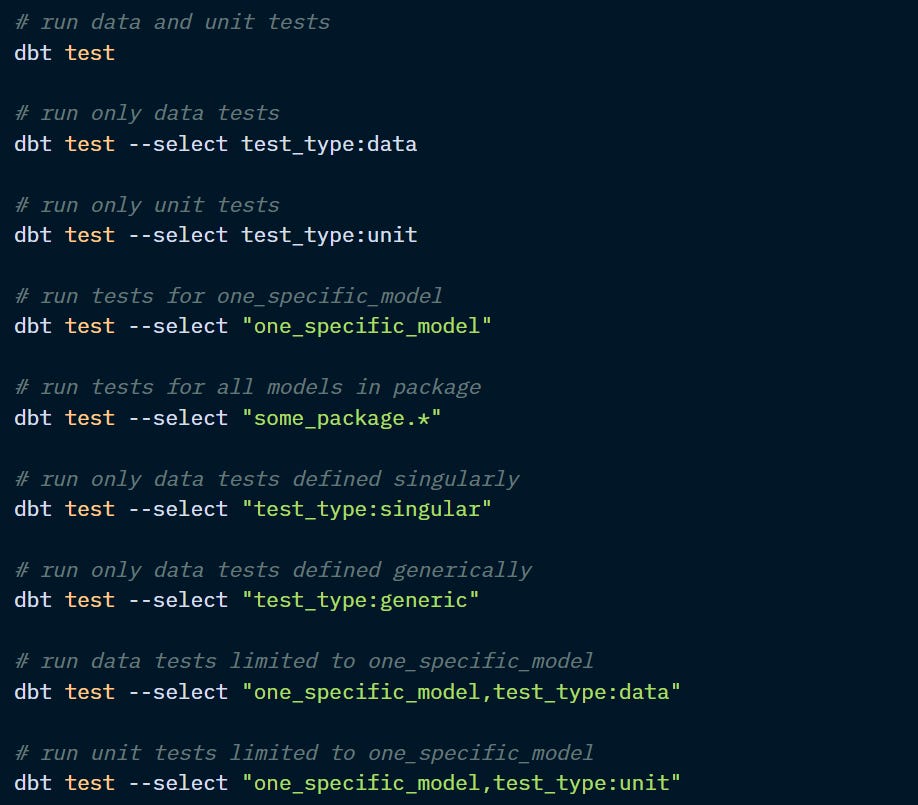
Once tests were declared and configured, you need to run dbt test to apply them and identify potentially failing records.
You can use the --select flag to run specific tests according to their type (data, unit, generic, or singular) and/or the model name.
Defining how dbt tests dependencies
Unlike other resources, tests upstream or downstream can be selected indirectly. You can use modes to choose how dbt handles tests in other models.
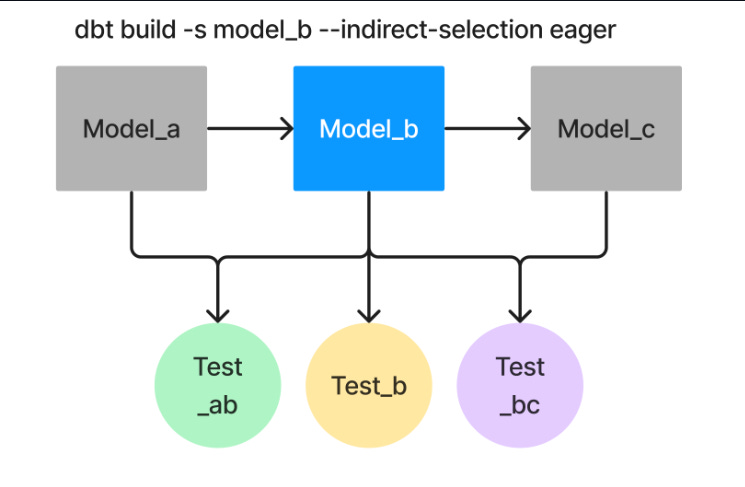
Eager mode (default)
This is the most inclusive option and the default mode. Which tests will be built?
Tests referencing the selected nodes as well as those of their upstream AND downstream models, even if they don’t directly reference the selected nodes.
Cautious mode
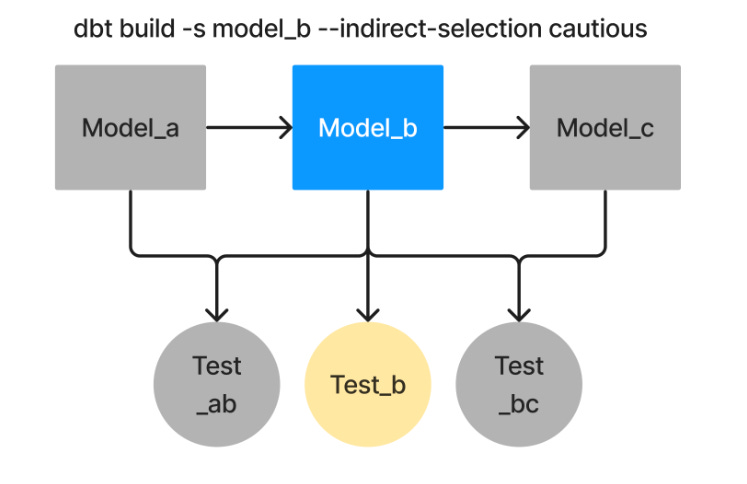
This is the most exclusive option. The tests that are built are:
Only the tests that exclusively reference the selected nodes.
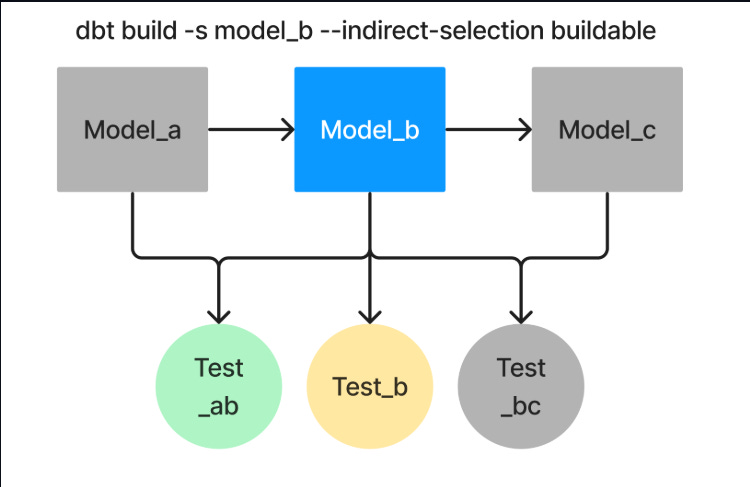
Buildable mode
This is a middle ground between Eager and Caution. Useful if you want to build a subset of your DAG without running into failures caused by unbuilt nodes in Eager mode. Includes the following:
Tests that reference the current node as well as those of its ancestors, even if they don’t reference the selected nodes.
Empty mode
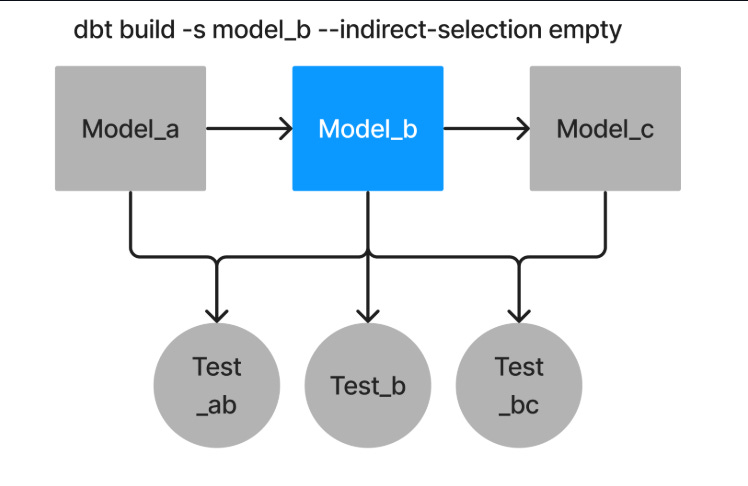
Ignores all tests.