
Practice Project: Checkpoint 4 - Part 4
Playing with Grants and adding Snapshots to our Practice Project.
Part of the “Mastering dbt” series. Access to the full Study Guide. Let’s connect on LinkedIn!
Yes, yet another part of the Practice Project Checkpoint 4! And it’s not the last one.
I just started a new job and the time I have available for this Study Guide has drastically shrunk. So, forgive me for the multiple parts. I’m just glad I’ve been able to stay consistent.
In Part 4, we’ll tackle Grants and Snapshots. Next part, hopefully the last one, we’ll add Exposures, Python models, and documentation to the project.
Grants
For this Practice Project, we will define grant permissions in YAML files.
Let’s think of this scenario: we need to limit access to the “dim_employee” model as it shows confidential information on the employees.
Before we get started, it’s important to understand that each adapter will have specific terminology that needs to be used. For instance, in Big Query, which is the adapter I am using, the “select” role is called “roles/bigquery.dataViewer”.
Setting up grants
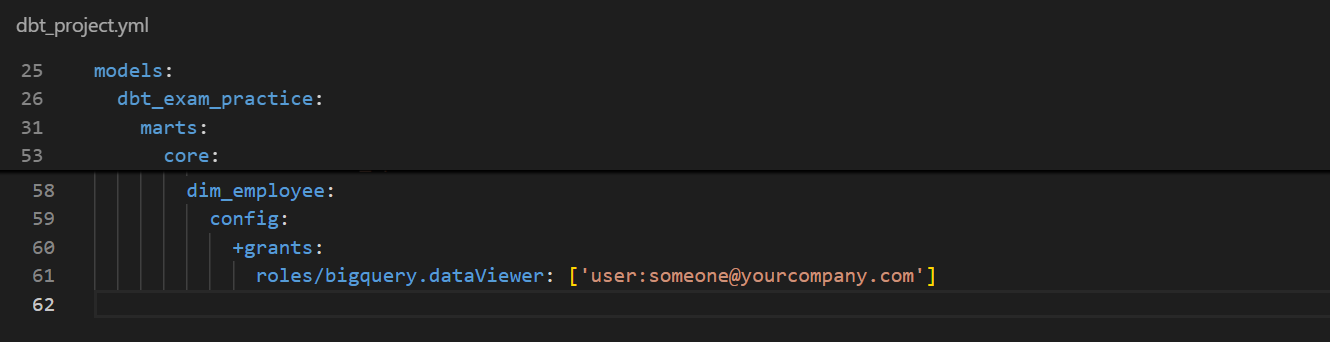
We’ll first set up the grant config for the “dim_employee” model in the dbt_project.yml file.
Below, I gave a fictitious user permission to query my table in BigQuery.
Conditional grant with Jinja
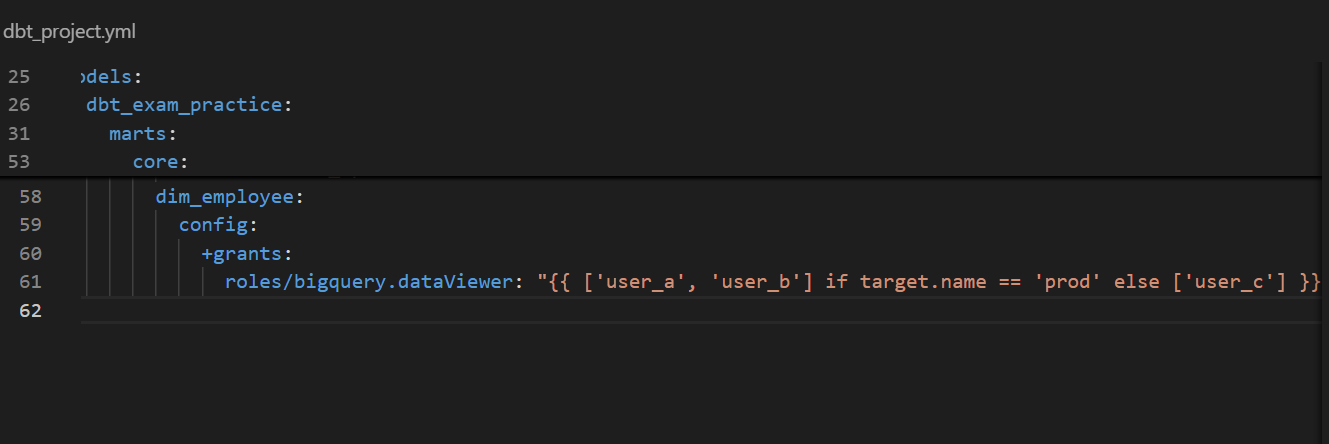
We can also use Jinja to set conditional permissions.
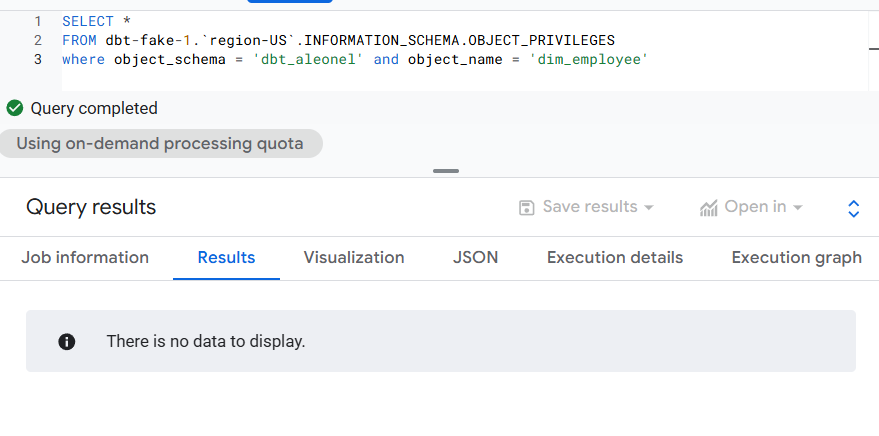
Even though the model was built successfully for both grants, when I queried the object privileges for “dim_employee” on BigQuery, I couldn’t get any data to return. I could not get this user to come up under my IAM permissions either. Not sure what this means, but I had to move on.
Snapshots
We are using a dataset created by Leo Godin on Medium, and I’m not entirely sure whether company or employee details change over time.
However, for the sake of our example, we are going to create 2 Snapshots to record changes to company and employee data.
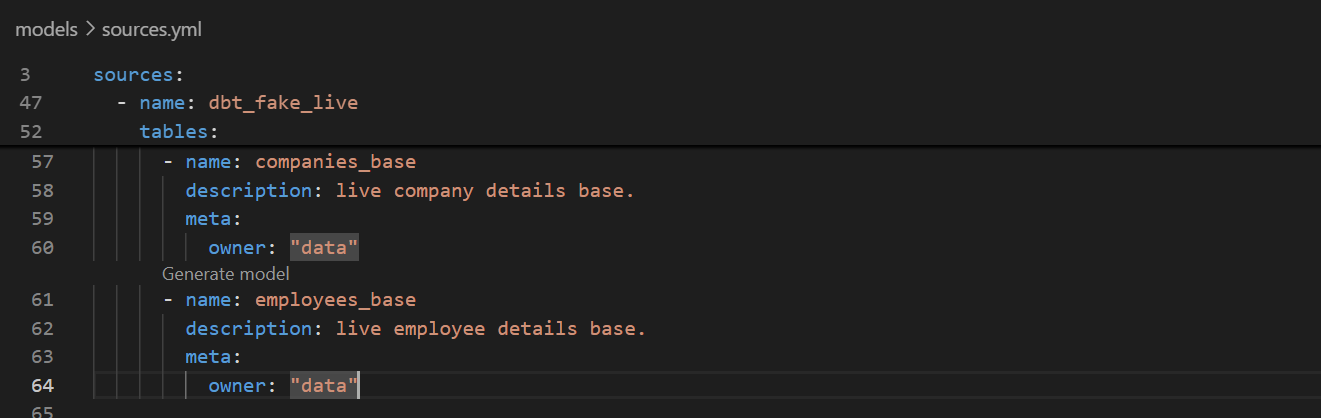
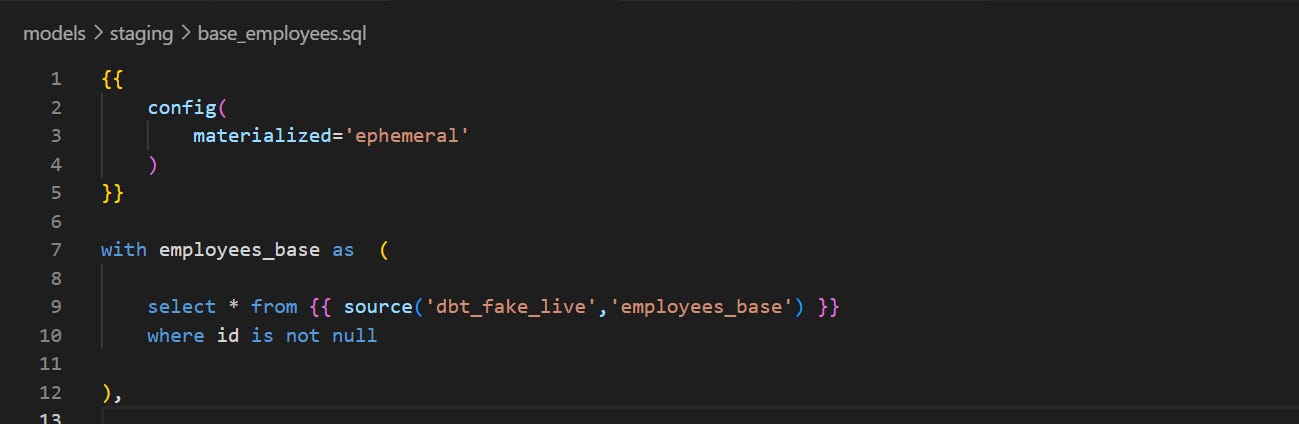
Adding live employee and company data
First things first, we are going to connect our employee and company data to the live public database that Godin set up - so far, we’ve been keeping that data static. Don’t forget to run these models and their downstreams once done.

Defining Snapshot strategy
We don’t have an “updated_at” field we can go by in our data, so we’ll adopt the “check” strategy.
It is recommended to store your snapshots in a different schema, as once dropped, you cannot recover the historical changes lost. So we will define it to be built in our prod schema.
Also, dbt recommends basing snapshots on staging models that have already been cleaned rather than the raw data.
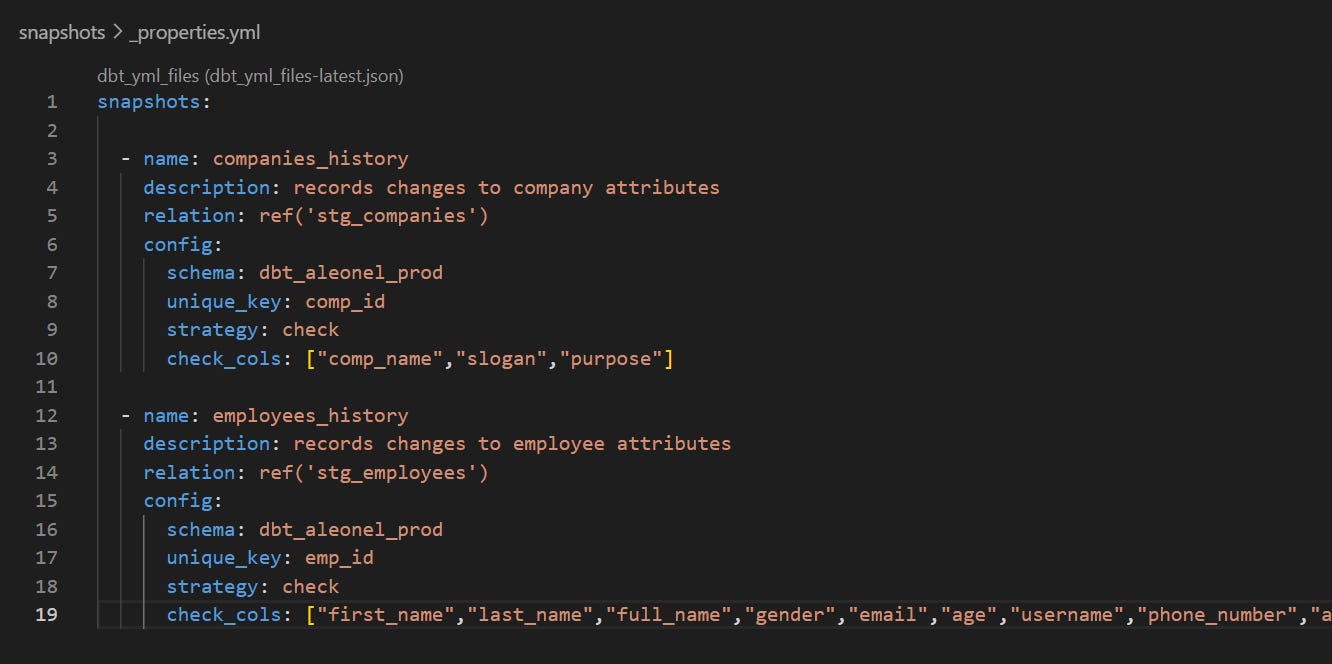
Run the “dbt snapshot” command and check that the two tables were created on dbt and in the warehouse.
Verifying Snapshots
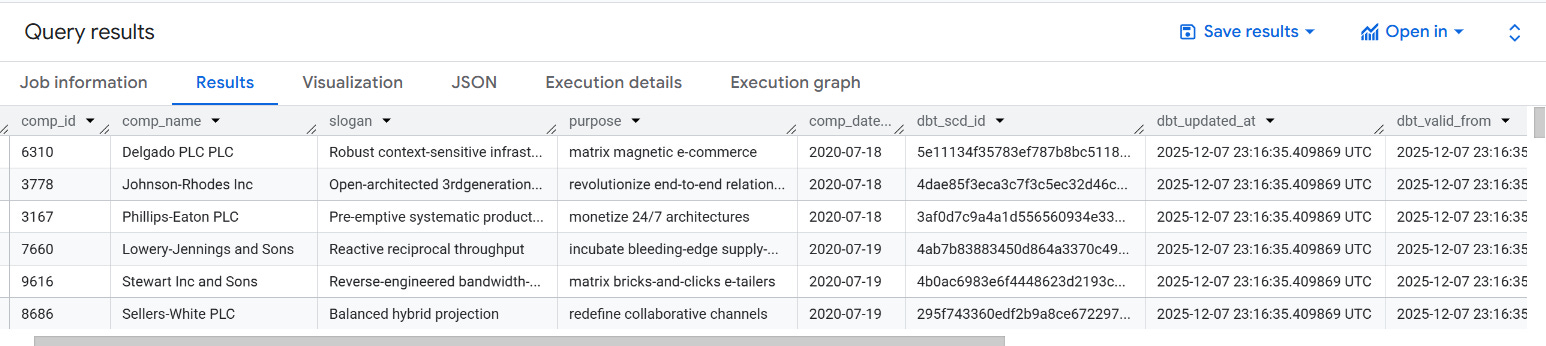
Upon running the command, you will see the tables being created in the warehouse. On the first run, dbt simply copies the existing records and adds accessory columns like “dbt_scd_id”, “dbt_updated_at”, and “dbt_valid_from”.
Upon subsequent runs, dbt will check which records have changed or if any new records have been created. The updated record and any new records will be inserted into the snapshot table.
Frequent jobs for Snapshots
In a real-life scenario, you’d need to have a frequent, scheduled job to run the snapshots to ensure you’re capturing all changes.
In my case, since I don’t have billing enabled on BigQuery, the Snapshots wouldn’t quite work the way they’re supposed to, so I’ll skip this step for this Practice Project.